When Hevy fits
Hevy may suit you if its athlete feed, following other lifters, WearOS logging, Android support, or desktop access are central to your training. These are features Hevy describes on its own website.
Choose your workout tracker
Hevy and Lightweight both help you record gym workouts and follow your progress. The useful comparison is how each fits your routine, your friends and the training data you already have.
Explore Lightweight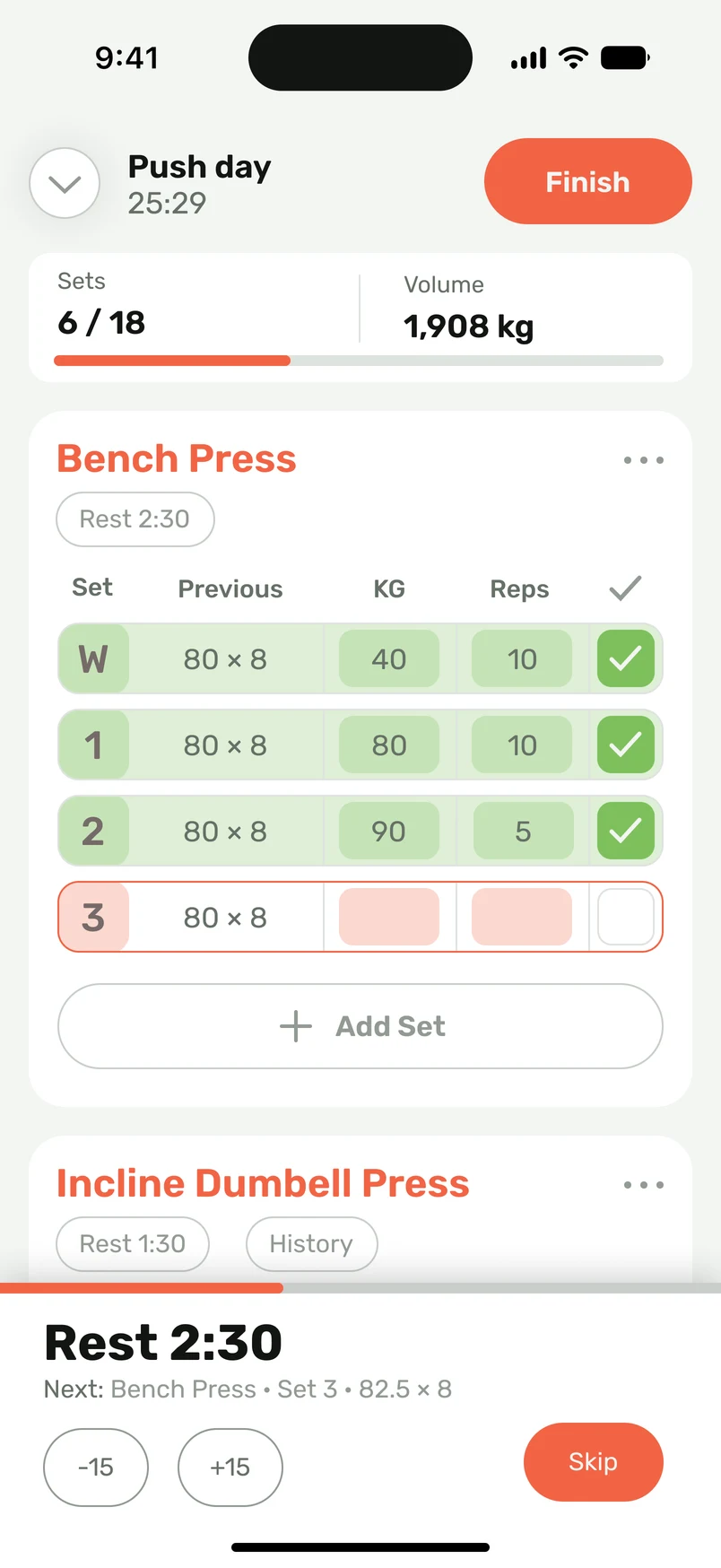
Hevy may suit you if its athlete feed, following other lifters, WearOS logging, Android support, or desktop access are central to your training. These are features Hevy describes on its own website.
Consider Lightweight if you train on iPhone and want to bring an existing plan from a screenshot, photo, text or voice description, organize workouts in folders, and record your sets beside your previous performance. You can also move your Hevy CSV history and plans.
| Your task | Hevy | Lightweight |
|---|---|---|
| Log sets between exercises | Hevy lists previous workout values, set types, supersets, notes and an automatic rest timer. | Record weights and reps beside previous performance, mark sets complete, use rest timers, and keep exercise notes. |
| Organize your routine | Hevy describes folders, gym routines, a routine library and sharing folders or routines. | Keep workouts in program folders, choose training days, build your own routine, or edit a starting plan. |
| Review your progress | Hevy lists exercise performance, personal records, muscle charts, body measurements and training consistency. | Review exercise history, personal records and progress charts. Advanced statistics and muscle distribution are paid features. |
| Stay connected | Hevy describes an athlete feed, following, likes, comments and sharing workouts. | Share your workouts with friends and use Gym Bro Streak. Review the friends workflow rather than assuming every social app works the same way. |
| Continue your existing history | Keep your Hevy data as a source when moving to a different tracker. | Import Hevy CSV without reformatting to transfer training history and plans. Review dates, units and exercise matches afterward. |
| Choose your device | Hevy advertises iOS, Android, Apple Watch, WearOS and web access. | Lightweight supports iPhone and Apple Watch. Record a complete workout on the watch without your iPhone nearby. |
Published by Lightweight. Hevy descriptions are based on its official sources, not a performance test. Features and subscription terms can change.
Use one of your usual training days as a reference. Check how you choose the routine, enter a working set, find the last performance, and continue after resting. A feature list is useful, but a familiar workout gives you a clearer comparison.
If you use Hevy's athlete feed or a watch to log workouts, include that in your decision. If your plan lives in a coach's message or a photo, look closely at Lightweight's import-and-review flow. Neither preference requires changing the program you already follow.
Lightweight supports Hevy CSV files without asking you to rebuild the file's structure. The supported transfer includes workout history with dates, weights, sets and reps, as well as plans. Keep your original export as a backup.
After import, inspect a recent session and an older one. Check exercise variations, load units, dates and set counts, then review the saved plans. Resume a familiar routine before interpreting a new progress chart. A changed machine or exercise match can affect comparisons.
Lightweight offers limited import access in the free version and no import limits in the paid version. Advanced statistics and muscle distribution are paid features. Exact free quotas and regional prices are not listed in this comparison.
Check each app's current listing and subscription details for your region before making a pricing decision. This page does not claim that Lightweight is cheaper or that an unlisted Hevy feature is absent.
Competitor product information checked October 5, 2026. Lightweight CSV compatibility is confirmed by the product owner.