Use a screenshot or photo
Bring a readable image of the workout plan, including a handwritten page. Clear exercise names and set targets make the review easier.
Workout import
Bring your workout history and plans from Hevy or Strong CSV files without reformatting. You can also turn a screenshot, photo, text, or voice description into an editable Lightweight routine.
Download on theApp Store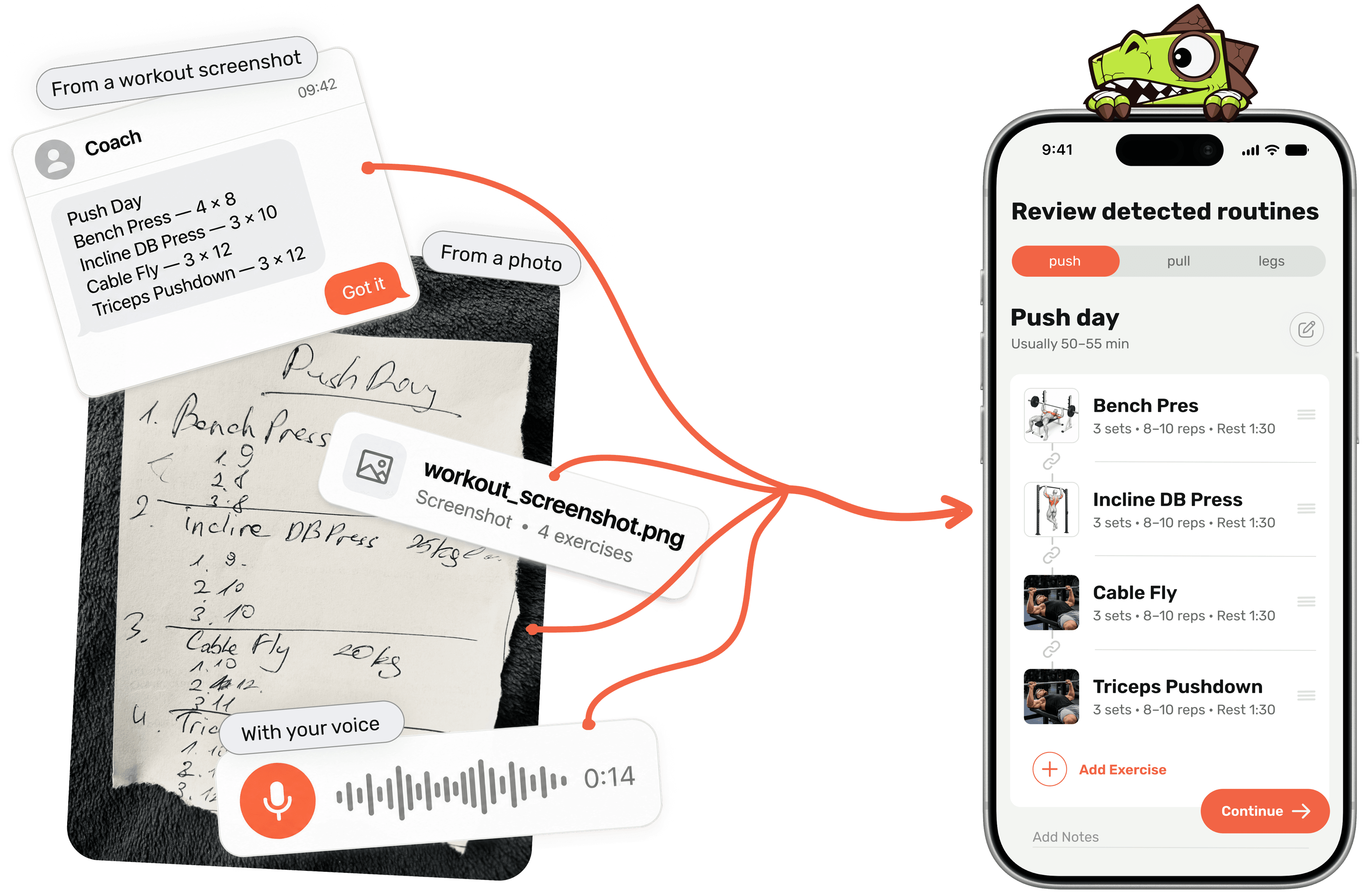
The source gives you a starting point. Review the result, correct ambiguous exercise names or targets, and keep the routine under your control.
Bring a readable image of the workout plan, including a handwritten page. Clear exercise names and set targets make the review easier.
Use the workout written in a note or message. Separate exercises and include sets and rep targets where possible.
Say the training day, exercise names, sets, and rep targets. Check the structured routine after the voice description is processed.
Check exercise variations, units, set counts, rep targets, and exercise order. Adjust anything that does not match the plan you intended.
Import their CSV files without rebuilding them by hand. Transfer training history and plans, then review the result in Lightweight.
Bring your CSV, text, screenshot, photo, or voice description of the workout.
Check each exercise and its set targets. Correct missing details or an ambiguous exercise name.
Keep the routine in Lightweight and use it to log actual sets, reps, and training progress.
A short, clearly structured plan is easier to review than exercise names without targets. The illustration above shows the inputs and the editable routine.
| Source text | What to check |
|---|---|
| Push day | Training-day name |
| Bench press — 3 × 6–8 | Barbell or dumbbell variation; sets and rep range |
| Incline dumbbell press — 3 × 8–10 | Equipment and bench variation |
| Rest 90 seconds | Rest target for the intended exercise |
Illustrative routine, not an imported customer record. Review exercise matches, sets, and rep targets before saving.
Good to know
Yes. Use a readable screenshot, then review the detected exercises, sets, and rep targets before saving the routine.
Yes. Use a clear photo of the plan. Check handwritten exercise names and numbers carefully in the review step.
Yes. Lightweight supports Hevy and Strong CSV files without reformatting and transfers workout history and plans. Review the imported entries before continuing your training.
Yes. The result is an editable routine. Correct exercise choices and targets before saving, then adjust the routine as training changes.
The free version has import limits. The paid version has no import limits. Check the current in-app terms for the allowance available to your account.