A workout log should preserve your context
Your old sets matter because they help you choose today's load and repetitions. When comparing Strong and Lightweight, use the same exercise, weight convention and training day. Check how easily you can see the previous performance and record the new result.
A routine template is the plan; a completed session is the actual performance. Compare both when moving between trackers. Keeping a plan does not by itself confirm that all the historical dates and sets have transferred.
Export your Strong CSV on iPhone
Strong's official help center instructs iPhone users to open the in-app Settings and select Export Strong Data. Save the original CSV before importing it into another app. Menu wording may change between app versions; the official export instructions are linked below.
Lightweight supports Strong CSV without reformatting and transfers history and plans. Review imported sessions and routines before continuing. Keep an export even after a successful move: Strong's export documentation says exported files cannot be imported back into Strong.
Continue tracking rather than starting from zero
Check a recent Strong session against its imported version: date, exercise variation, weight unit, working sets and repetitions. Do the same for an older session, and check the training days in your saved plan.
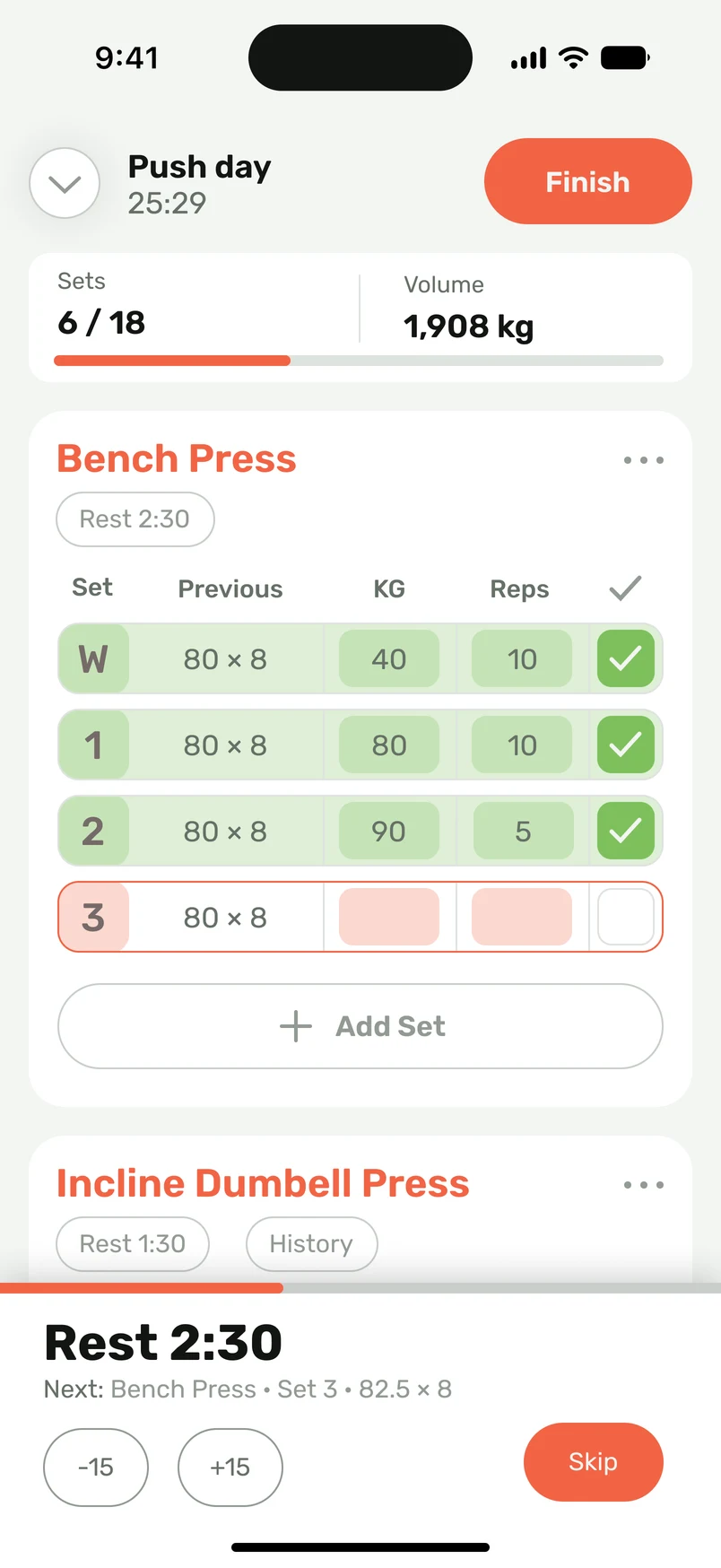
Then log one normal workout in Lightweight. Use the Previous column as a reference, record your actual sets, and compare the next session using the same convention. You decide the working weight; the tracker records and presents the result.
Choose the features you will use
Strong's website lists Apple Watch support, advanced charts and other tools. Lightweight also supports complete workout recording on Apple Watch without an iPhone nearby, along with plan import, routine folders, gym logging and sharing workouts with friends. This comparison does not claim that either app lacks a feature simply because it is not discussed here.
Lightweight's free version has import limits; paid import has no limits. Exact quotas and regional prices are not compared. Check the current app listings and subscription terms if price or a particular paid tool determines your choice.
Your transfer checklist
- Export Strong Data from the iPhone app's Settings.
- Keep the original CSV and inspect a recent and an older session.
- Check plans as well as history, including load units and exercise variations.
- Complete a familiar workout and review the next session's previous values.
Sources
Competitor product information checked October 5, 2026. Lightweight CSV compatibility is confirmed by the product owner.